
How to Sell Individual Courses
Note: New demo videos are coming soon. Please refer to the visual guides and steps provided below in the meantime.
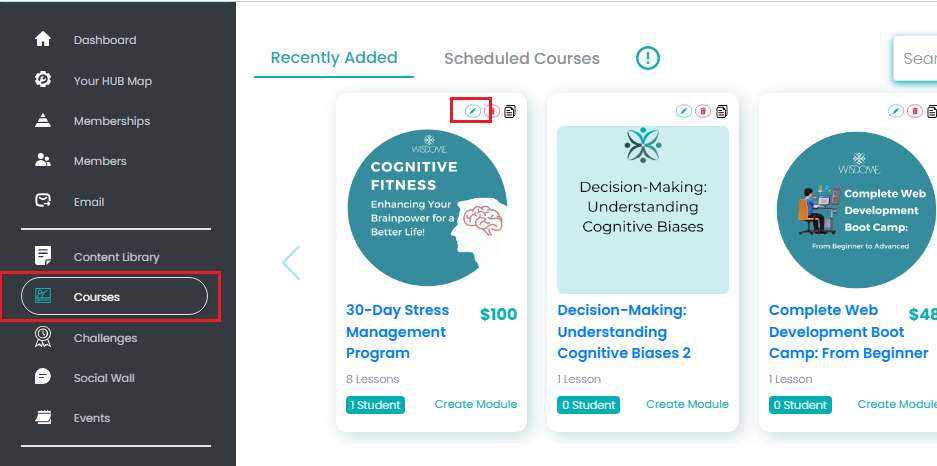
1: Choose the Course You Want to Sell Individually
Go to your dashboard and select 'Courses' from the menu. Then, click the pencil icon in the top-right corner to edit.
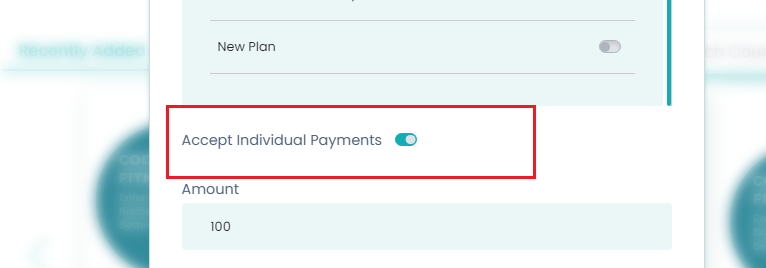
2. Activate the 'Accept Individual Payments
Scroll down to the ‘Accept Individual Payments’ section, toggle the radio button, and enter your course price.
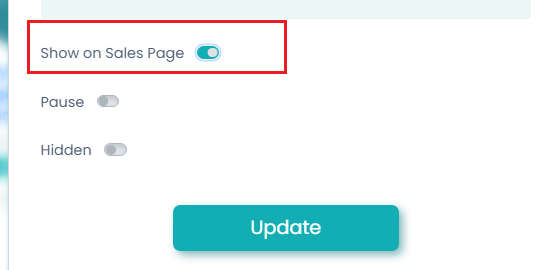
3. Show Course on Sales Page
Activate the ‘Show on Sales Page’ radio button.
Click ‘Update’ to save your changes.
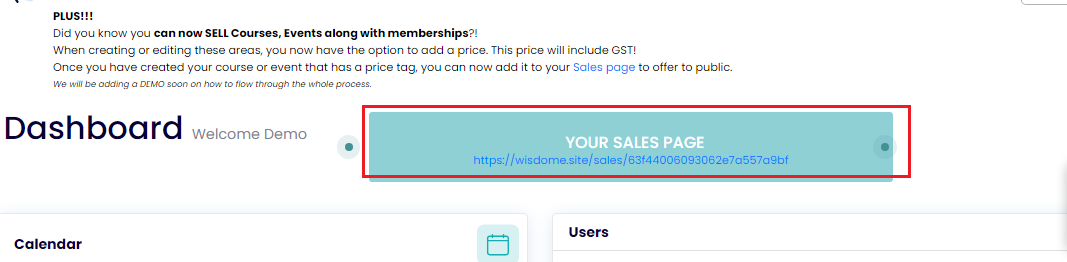
4. Copy Your Sales Page link
Select 'Dashboard' from your side bar menu and grab the link under 'Your Sales Page.'

5. Access and Share Your Sales Link
Open your sales page in a new tab. You may share this link with your audience so they can directly buy your course from this page.
6. Send Your Audience Directly to Your Course Checkout Page
To send your audience directly to the checkout page, follow these steps:

Click 'Purchase' to access the checkout page.
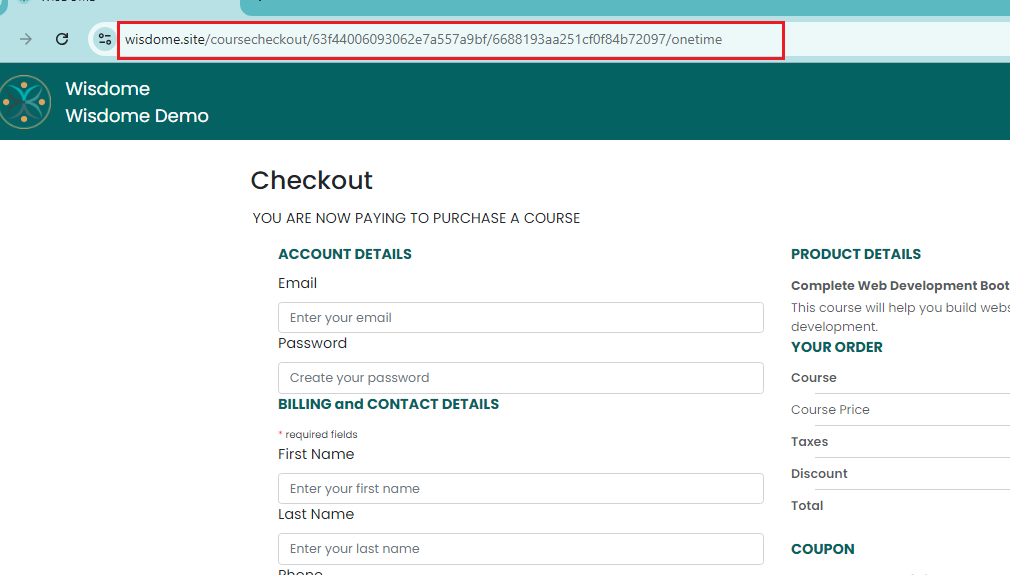
Grab your checkout link/URL. You may embed it in your website and emails, or share it across social media.