
How to Create Your Social Wall
The Process:
Create meaningful connections with your community and drive more customers to your business. Social Wall helps you post updates, respond to feedback, and reach out to your members on a personal level.
To create a social wall, you'll need the following information:
Topic of discussion
Social Wall Group title
Group description field
Social Wall cover image
Assign a membership level access
The Process:
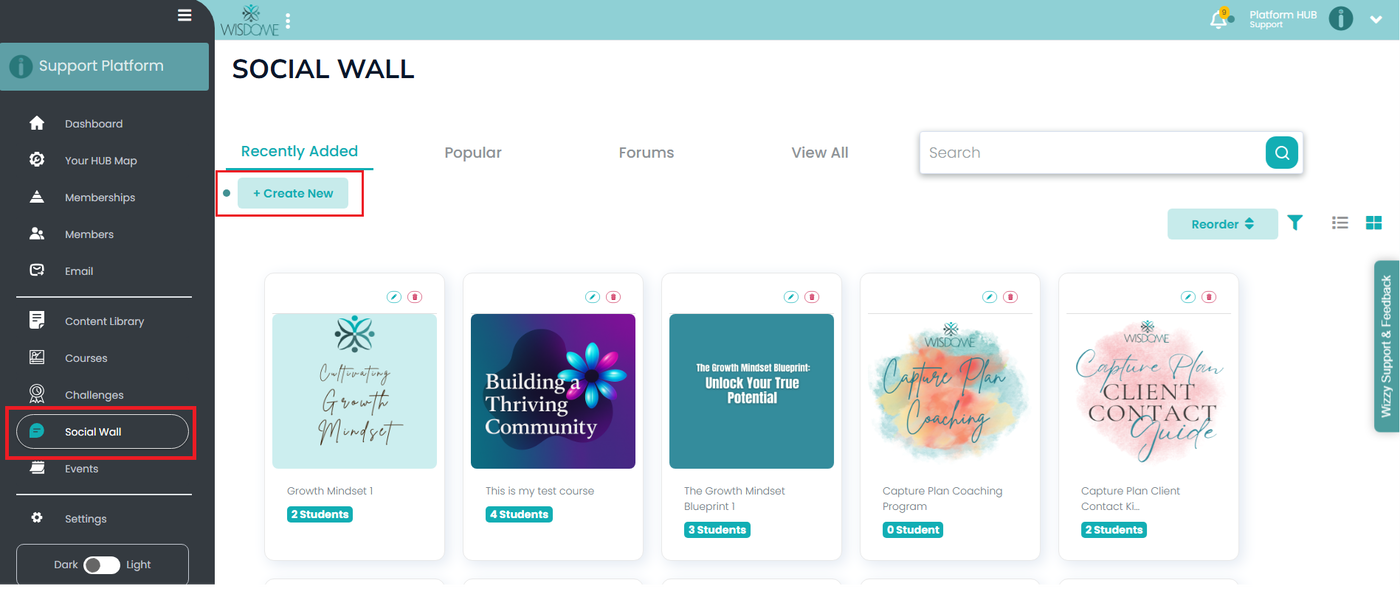
1. Select 'Social Wall' on your sidebar menu and click ‘+ Create New.’
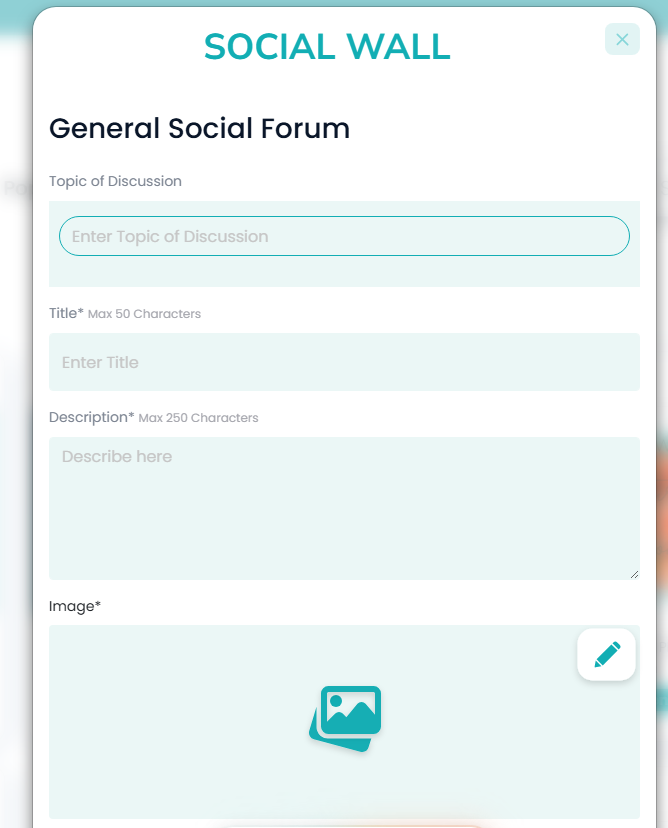
2. Provide the following details:
Topic of Discussion
Title (Max 50 Characters )
Description (Max 250 Characters )
Cover image (Add any image that represents your discussion topic)
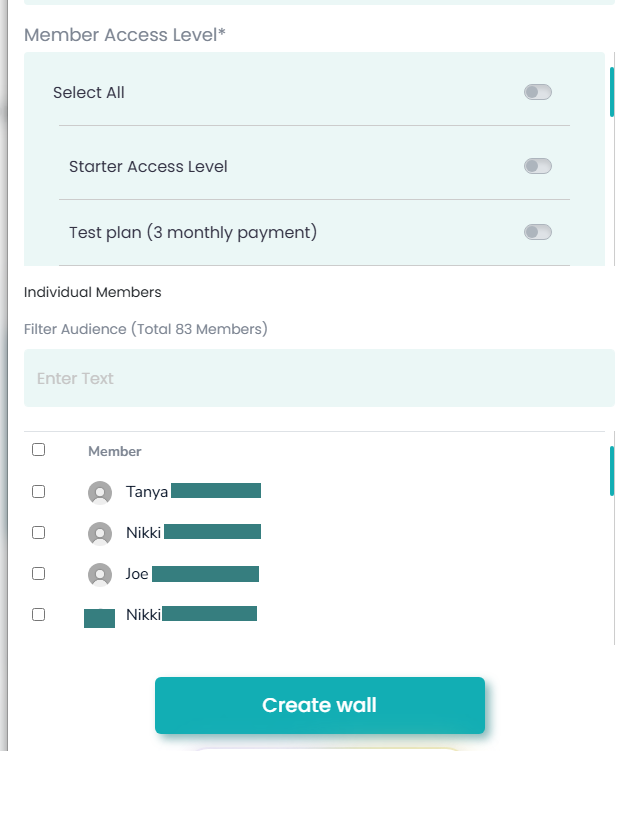
Membership Access Level or manually select the names of the people that you want to access your Social Wall.
You may also filter your audience (Specify the type of members you want to have access to this forum, e.g. free or paid members.)
3. Click 'Create wall'.