
How to Get Your Online Course's Share Link
This guide will show you how to find the link (URL) for your online course, so you can share it with your audience.
Prerequisites:
You have already logged into your Wisdome admin/partner access.
You are in the main "Courses" section, looking at all your available courses.
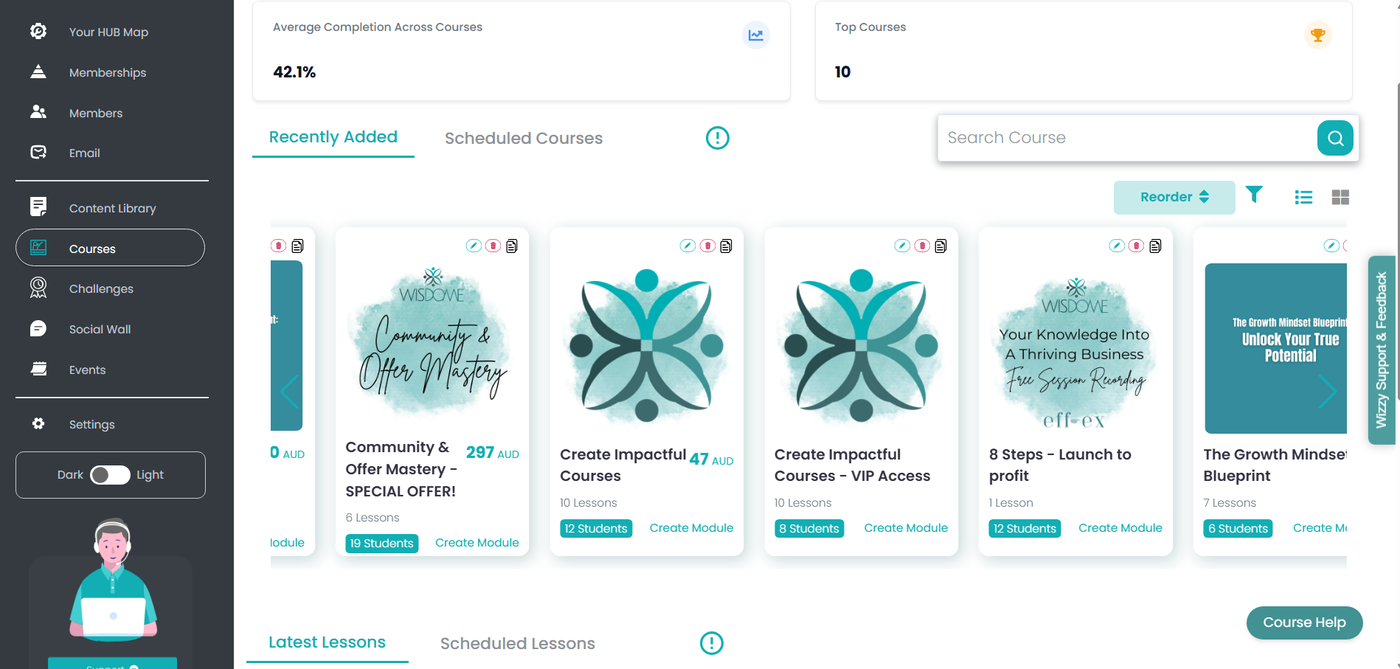
Step 1: Open Your Course
Locate the specific course you want to share.
Click on the course card or course title to open up its detailed view.
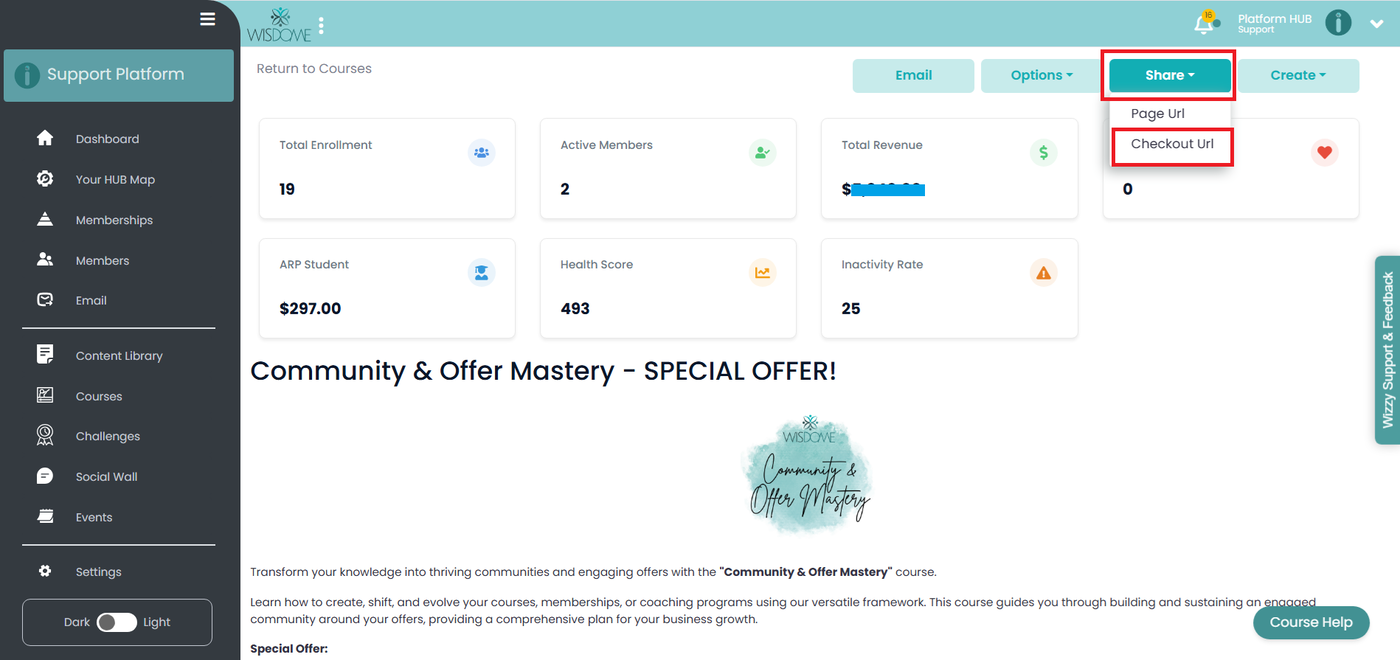
Step 2: Find the Share Button
Once inside the course details page:
Look at the upper right-hand corner of the screen.
Click the "Share" button then select ‘Checkout URL.’
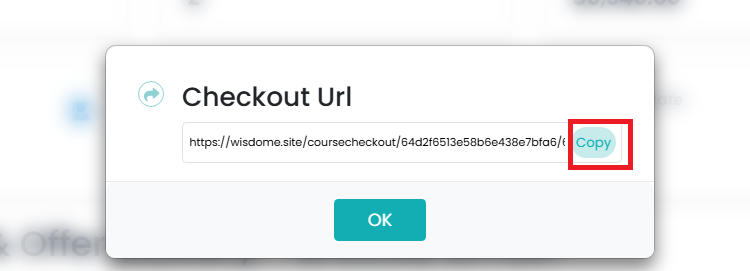
Step 3: Copy and Confirm
A pop-up window titled "Checkout URL" will appear.
Click the "Copy" button located directly next to the long URL.
Click the "OK" button at the bottom of the pop-up to close it.
Success!
You have now successfully copied your course's checkout link. You may share your "Checkout URL" with anyone on social media, via email, or through a button on your website.