
How To Post On Your Social Wall
Note: New demo videos are coming soon. Please refer to the visual guides and steps provided below in the meantime.
Steps:
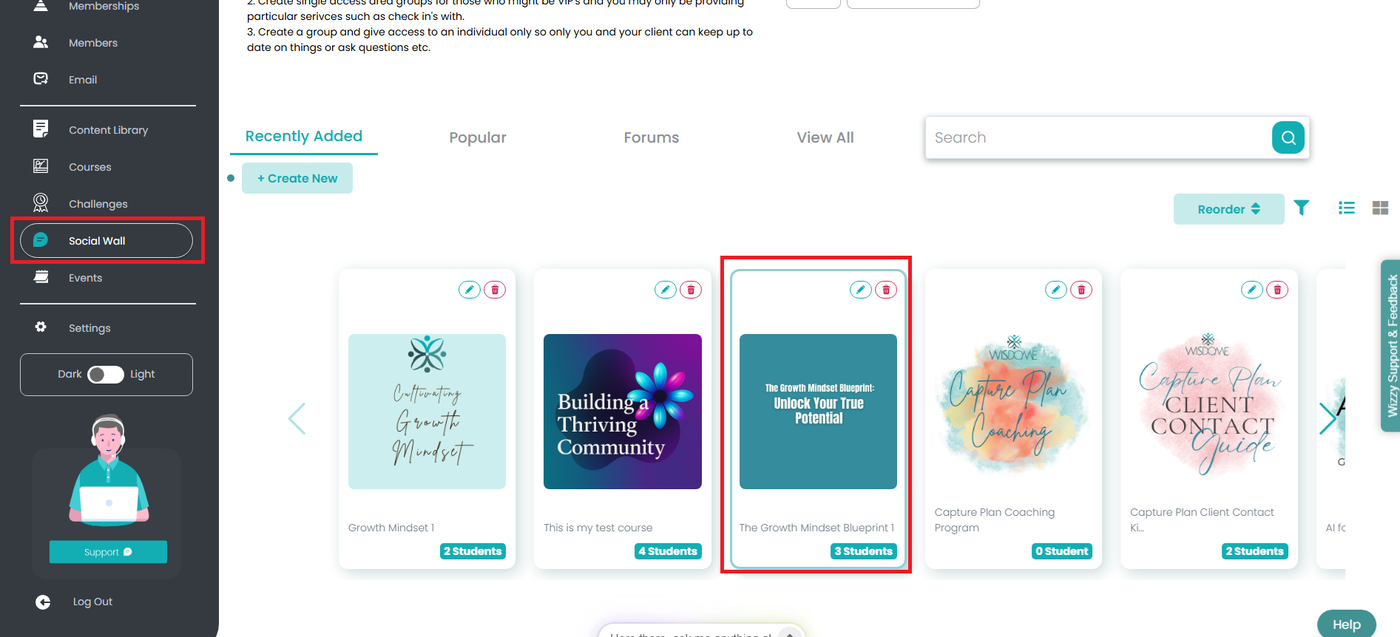
1. Select your Social Wall folder.
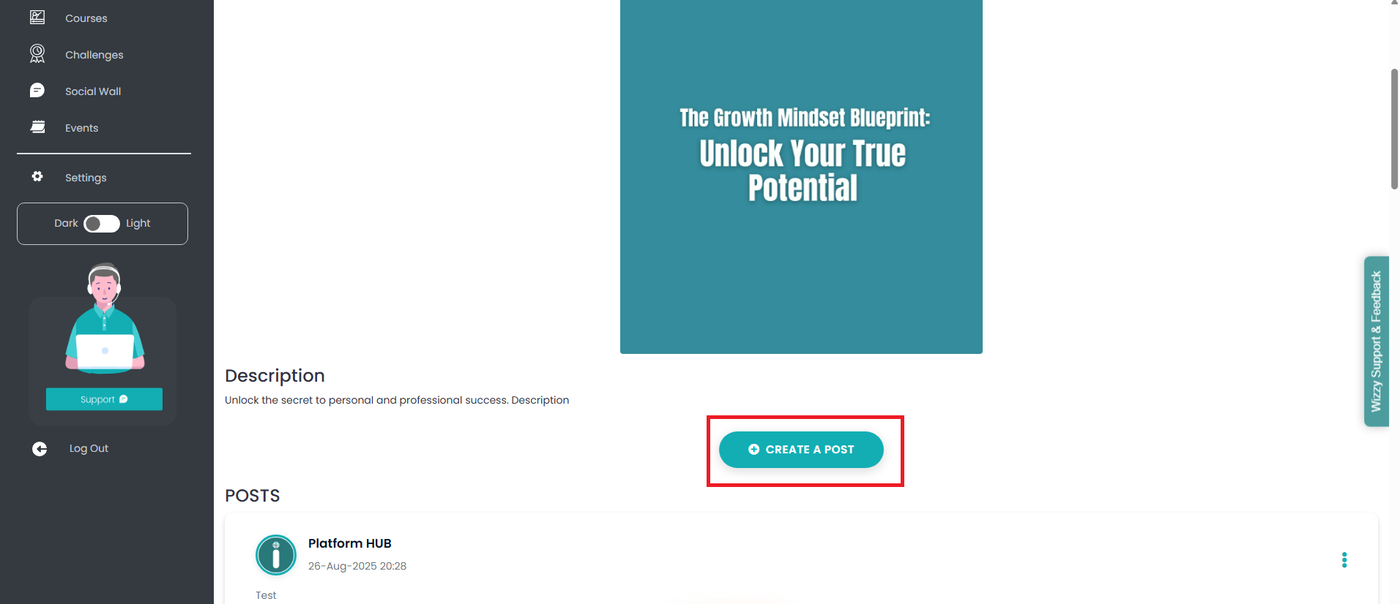
2. Click ‘+ CREATE A POST.’
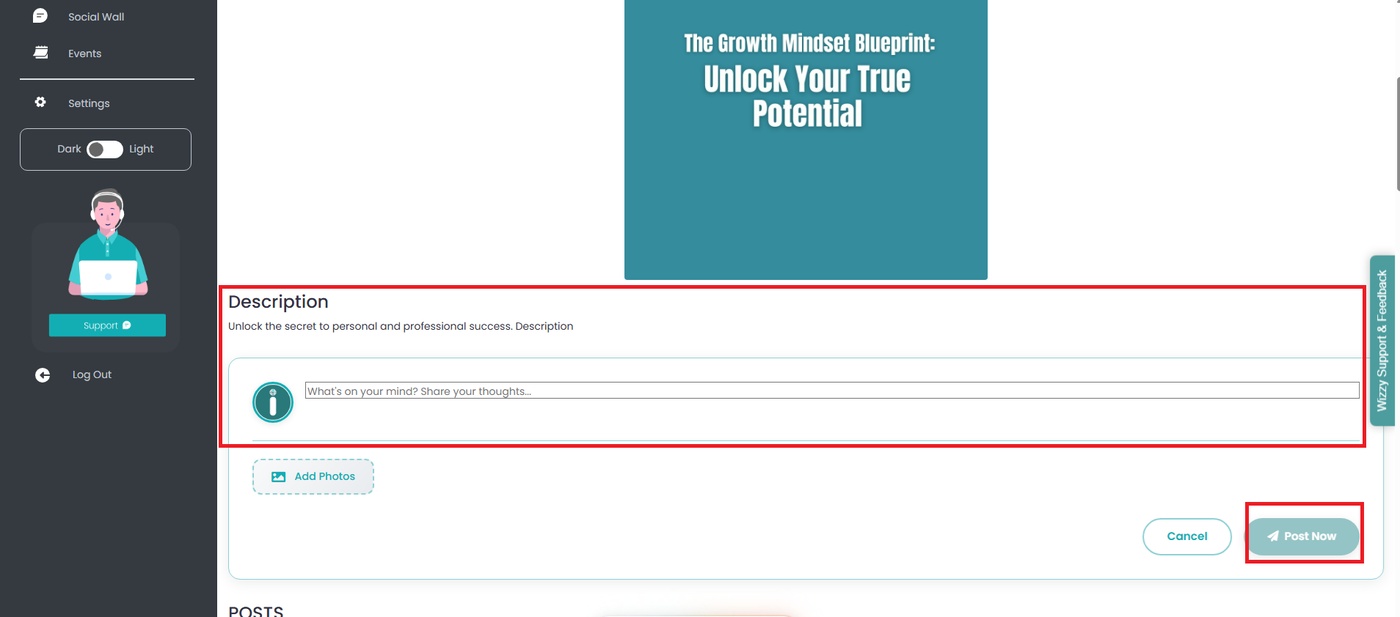
3. Enter your message in the text field.
4. Click the ‘ADD PHOTOS’ icon to add photos or graphics. Note: Images are optional but highly recommended.
5. Click ‘POST NOW.’